
Cat5 Cat5e Cat6 Cat6a Cat7 and Cat8 Ethernet Cable Buying Guide Introduction
In today’s networking world, the most common Ethernet cable types include Cat5, Cat5e, Cat6, Cat6a, Cat7, and Cat8 cables. At first glance, these network cables may look similar from the outside, but their transmission speed, bandwidth, and shielding technology vary greatly. Choosing the right cable is critical for achieving the best network performance.
This guide provides a detailed comparison of Cat5 vs. Cat5e vs. Cat6 vs. Cat6a vs. Cat7 vs. Cat8 Ethernet cables, helping you understand their specifications and decide which is best for your application.
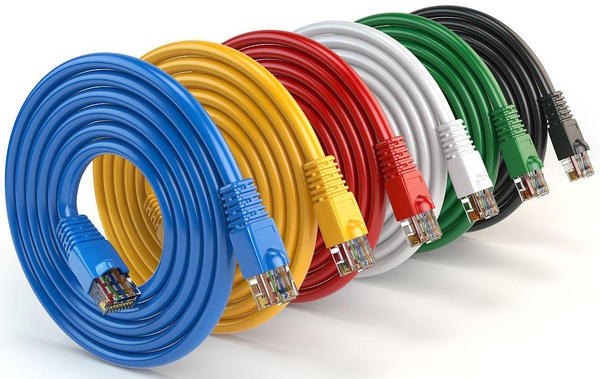
What Are Cat5, Cat5e, Cat6, Cat6a, Cat7, and Cat8 Cables?
Cat5 Cable
The Cat5 cable was once the standard choice for LAN connections. Built with four twisted copper pairs and an RJ45 connector, it supports bandwidth up to 100 MHz and speeds of 10/100 Mbps. Although it can sometimes achieve Gigabit speeds on shorter runs, it is largely outdated today.
Specs: 100MHz / 100Mbps / 100m.
Cat5e Cable
The Cat5e Ethernet cable (“e” for enhanced) improved on Cat5 with stricter standards to reduce crosstalk and noise. Supporting up to 1 Gbps speeds at 100 MHz, Cat5e cables quickly replaced Cat5 and remain the most commonly used Ethernet cable due to their balance of performance and price. They are widely used in both homes and commercial networks.
Specs: 100-250MHz / 1Gbps / 100m.
Cat6 Cable
The Cat6 cable introduced faster speeds and improved crosstalk protection, supporting up to 10 Gbps at 250 MHz. However, the maximum 10 Gbps transmission is limited to about 55 meters. For Gigabit Ethernet over 100 meters, Cat6 cables work reliably and are often deployed in both homes and businesses.
Specs: 250MHz / 1Gbps at 100m, 10Gbps at 37-55m.

Cat6a Cable
The “a” in Cat6a stands for “augmented.” Cat6a Ethernet cables extend 10 Gbps performance to a full 100 meters while doubling the frequency to 500 MHz. With enhanced shielding, they reduce alien crosstalk, making them the ideal choice for data centers and environments requiring high-speed and stable connections.
Specs: 500MHz / 10Gbps / 100m.
Cat7 Cable
The Cat7 cable is designed for high-speed networks, supporting 10 Gbps across 100 meters at 600 MHz. Each pair is individually shielded, with an additional overall shielding layer to minimize EMI and RFI interference. Cat7 cables are considered “Class F” cables and are often deployed in core infrastructure where stable, shielded connections are essential.
Specs: 600MHz / 10Gbps at 100m, up to 40Gbps at 50m.
Cat8 Cable
The Cat8 Ethernet cable is the latest IEEE standard for copper cabling. With individually foil-shielded pairs, Cat8 cables support ultra-high-speed 25GBASE-T and 40GBASE-T Ethernet at frequencies up to 2000 MHz. They are mainly used in data centers, server rooms, and bandwidth-intensive applications, though they come at a higher cost compared to previous generations.
Specs: 2000MHz / 25Gbps (Cat8.1), 40Gbps (Cat8.2).
Differences Between Cat5, Cat5e, Cat6, Cat6a, Cat7, and Cat8
When comparing Ethernet cables, key factors include:
-
Speed: Determines the maximum data transmission rate.
-
Bandwidth: Higher MHz generally means faster and more efficient data transfer.
-
Shielding: Helps block interference and maintain signal quality.
-
Crosstalk: Reduced crosstalk results in more stable network performance.
Here’s how different Ethernet cable categories compare:
| Category | Transmission Speed | Distance | Bandwidth | Shielding | Typical Applications |
|---|---|---|---|---|---|
| Cat5 | 100Mbps | 100m | 100MHz | Unshielded | 100Base-T Ethernet |
| Cat5e | 1Gbps | 100m | 100MHz | Shielded/Unshielded | Gigabit Ethernet, residential |
| Cat6 | 1/10Gbps | 100m (10Gbps at 37-55m) | 250MHz | Shielded/Unshielded | Gigabit Ethernet, offices |
| Cat6a | 10Gbps | 100m | 500MHz | Shielded/Unshielded | Data centers, enterprises |
| Cat7 | 10Gbps | 100m | 600MHz | Shielded | Core infrastructure |
| Cat8 | 25/40Gbps | 30m | 2000MHz | Shielded | Data centers, server rooms |

Which Ethernet Cable Should You Choose?
As a general rule, newer Ethernet cable types offer higher speeds, greater bandwidth, and better shielding. However, your choice depends on distance, performance requirements, and budget.
-
Cat5e is still sufficient for most home networks.
-
Cat6 is a cost-effective option for offices with Gigabit connections.
-
Cat6a provides long-distance 10 Gbps for enterprise setups.
-
Cat7 and Cat8 cables are better suited for data centers and high-demand environments.
Price is another consideration: Cat6a cables often deliver similar performance to Cat7 at a lower cost, while Cat8 Ethernet cables are the most expensive but necessary for ultra-high-speed networking.
Conclusion
Understanding the differences between Cat5, Cat5e, Cat6, Cat6a, Cat7, and Cat8 cables is essential for building reliable and efficient networks. Whether you need affordable Cat5e Ethernet cables for home use or powerful Cat8 cables for data-intensive applications, selecting the right cable ensures optimal performance, reduced interference, and future-ready network infrastructure.
We are a manufacturer of optical fiber and optical cables, including indoor and outdoor cables, non-metallic cables, flame-retardant cables, bundled tube cables, ribbon cables, data center cables, underwater cables, submarine cables, optoelectronic composite cables, base station field cables, drone cables, and detection and sensing cables. We offer affordable optical cables. We also manufacture ancillary optical fiber equipment, including fiber optic connectors, patch cords, adapters, splitters, and Category 5, 6, and 7 network cables. For network cable pricing, please contact us.
Some of the content comes from the Internet. Please contact us if you have any questions.